
Increase Image Size in KB
Drop your images here or browse.
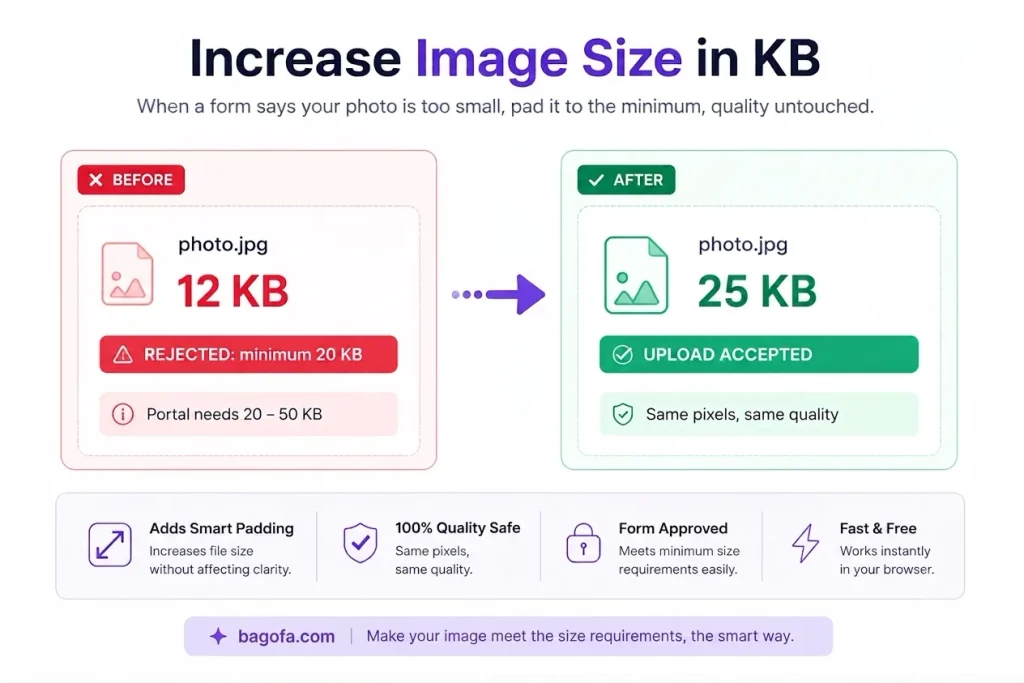
Sometimes an image looks perfectly fine but its file size is too small for a website, online form, application, or document. For example, a platform may require an image to be at least 50 KB, 100 KB, 200 KB, or another specific file size.
In such situations, you may need to increase the image size in KB without changing the image's basic appearance too much. Bagofa provides an easy online way to increase image file size according to your requirements.
Whether you are preparing a photo for an online application, document, school form, business requirement, or website, Bagofa can help you adjust the image file size quickly.
What Does Increase Image Size in KB Mean?
Increasing an image size in KB means increasing the file size of the image rather than simply increasing its width and height.
For example, an image may originally be 35 KB, while a form requires an image of at least 100 KB. In this case, changing the image dimensions alone may not produce the required file size. The image may need to be processed with different quality or encoding settings to increase its file size.
It is important to understand that image dimensions and file size are different. A larger image in pixels does not automatically mean a larger file in KB.
- Dimensions: Width and height, such as 800×600 pixels.
- File size: The amount of storage used by the image, such as 35 KB or 150 KB.
- Image quality: The visual quality and amount of detail retained in the image.
Increase Image Size in KB Online for FREE
Bagofa makes it easier to prepare an image when a specific minimum or target file size is required. You can use the tool for different common image formats and requirements.
It can be useful for:
- Government application forms
- Job application forms
- School and college applications
- ID and registration forms
- Business documents
- Online profile requirements
- Website uploads
- Digital documents
- Photography requirements
- Other online applications
Always check the exact requirements of the website or organization before adjusting your image.
How It Works
Select Your Image
Start by choosing the image you want to process. A clear original image is generally a good starting point.
Choose the Required KB Size
Enter or select the target file size according to your requirement, such as 50 KB, 100 KB, 200 KB, or 500 KB.
Process the Image
The tool adjusts the image data and relevant settings to increase the file size toward your selected requirement.
Check the Result
Review the processed image and verify its file size. Also make sure the image still looks suitable for your intended use.
Use the Image
Once the image meets your required file-size range, you can use it for the relevant form, website, document, or application.
Why Choose Bagofa?
Easy Online Image Size Adjustment
Bagofa provides a straightforward way to work with image file sizes without requiring advanced image-editing knowledge.
Useful for Specific KB Requirements
Many applications specify minimum or maximum image sizes. Bagofa can help you prepare an image for these requirements.
Supports Common Image Needs
The tool can be useful when working with commonly used image formats and different file-size targets.
Simple Process
You can focus on the required KB size instead of manually changing multiple image settings.
Helpful for Applications and Forms
If an online form rejects an image because its file size is below the required limit, increasing the image size may help you meet that particular requirement.
Free Online Tool
Bagofa provides convenient online image tools for common file and image tasks, making everyday image preparation easier.
Important Tips When Increasing Image Size
Increasing the file size does not automatically make an image visually better. A larger file can contain more data without providing a noticeable improvement in image quality.
Before submitting an image, consider these points:
- Check the minimum and maximum KB requirements.
- Keep the image dimensions within the required range.
- Use a clear original image.
- Avoid unnecessary enlargement of very small images.
- Check the required file format.
- Review the final image before submission.
- Make sure the final file meets the website's size limits.
- Do not confuse KB requirements with pixel dimensions.
If a website says the image must be between 100 KB and 200 KB, reaching a larger number such as 500 KB would not necessarily meet the requirement. Always follow the specified range.
Related Image Tools
Bagofa offers several useful image tools for different requirements. Choose the tool based on whether you need to change file size, dimensions, or image composition.
Related Image Conversion Tools
Need a different image format? Explore these Bagofa image conversion tools to convert your images into commonly used formats.
JPG to PDF Converter
Convert JPG images to PDFJPG to PNG Converter
Convert JPG images to PNGJPG to WebP Converter
Convert JPG images to WebPPNG to JPG Converter
Convert PNG images to JPGPNG to WebP Converter
Convert PNG images to WebPWebP to JPG Converter
Convert WebP images to JPGWebP to PNG Converter
Convert WebP images to PNGWebP to GIF Converter
Convert WebP images to GIFGIF to JPG Converter
Convert GIF images to JPGFrequently Asked Questions
How can I increase image size in KB online?
You can use an online image-size tool such as Bagofa to adjust the file size toward your required KB value. Select your image, specify the target size, and check the resulting file.
Can I increase an image from 20 KB to 100 KB?
Yes, an image can be processed to increase its file size toward a target such as 100 KB. The final result can vary depending on the original image, format, dimensions, and image content.
Does increasing KB improve image quality?
Not necessarily. Increasing file size does not automatically increase the visual quality of an image. File size and visual quality are related but different characteristics.
Can I increase JPG image size in KB?
Yes. JPG images can be processed to reach a larger file size when a website or application requires a particular KB range.
What is the difference between KB and pixels?
KB refers to the file's storage size, while pixels describe the image's digital dimensions. An image can have large dimensions but a relatively small file size, or smaller dimensions with a larger file size.
Why does an application require a minimum image size?
Some websites and applications set minimum file-size requirements to ensure uploaded images contain enough image data or meet their processing requirements. You should follow the specific instructions provided by the application.